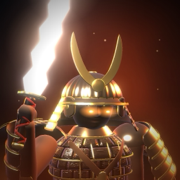
 BEAST HUNTER
Support
Need help with Beast Hunter? Most answers are below. If yours isn't, email us at support@supermangostudio.com and we'll get back to you.
My progress is gone
Progress is saved on your phone. To keep it safe when you change or reset your phone, make an account: Sign in on the home screen, then sign in with Apple, Google or a username and password. On a new phone, sign in to the same account and your progress comes back.
I bought something and don't have it
- Make sure you're signed in to the account you bought it with.
- Open the Shop and tap Restore purchases. Special hunters and abilities come back.
- Still missing? Email us with your hunter name and the date you bought it.
Refunds
Purchases are made through Apple, so refunds are handled by Apple. Use Apple's Report a Problem page.
Delete my account
In the game, tap Sign in (or Account), then Delete my account. Your account and its saved progress are removed from the server.
Ads
Ads only play when you choose to watch one, for example to revive. Whether ads may use tracking is up to you: change it any time in your iPhone's Settings → Privacy & Security → Tracking. Where it's offered, you can also open Settings → Ad privacy choices in the game.
The game runs slowly
Open Settings in the game and set Graphics to Low. It turns off the glow and draws fewer pixels, so the game runs smoother on older phones.
Play in your browser
You can also play Beast Hunter at beasthunter.supermangostudio.com. Sign in to the same account to use your progress there.